


 Published on 31.12.2025
Watching videos on an iPhone goes beyond the default player once you start dealing with different formats, subtitles, or offline playback. A dedicated video player for iOS gives you better format support, smoother streaming, and more control over how content plays.
At the time of writing, several iOS video players stand out for reliability, performance, and compatibility with modern Apple devices. The apps below focus on real-world playback needs rather than developer-centric features.
What Makes A Great Video Player On iOS
The best video players for iPhone balance performance, usability, and format support. Users typically look for smooth playback, subtitle controls, offline viewing, and compatibility with cloud or network storage.
Integration with Apple features like Picture-in-Picture, AirPlay, and Face ID also plays a major role in choosing the right iOS video player.
VLC Media Player For iOS

VLC remains one of the most reliable free video players for iOS. It plays almost every video format without conversion and does not rely on ads or subscriptions.
It supports local files, network streams, cloud storage, subtitles, and offline playback, making it a solid all-around choice for iPhone users.
Infuse Video Player
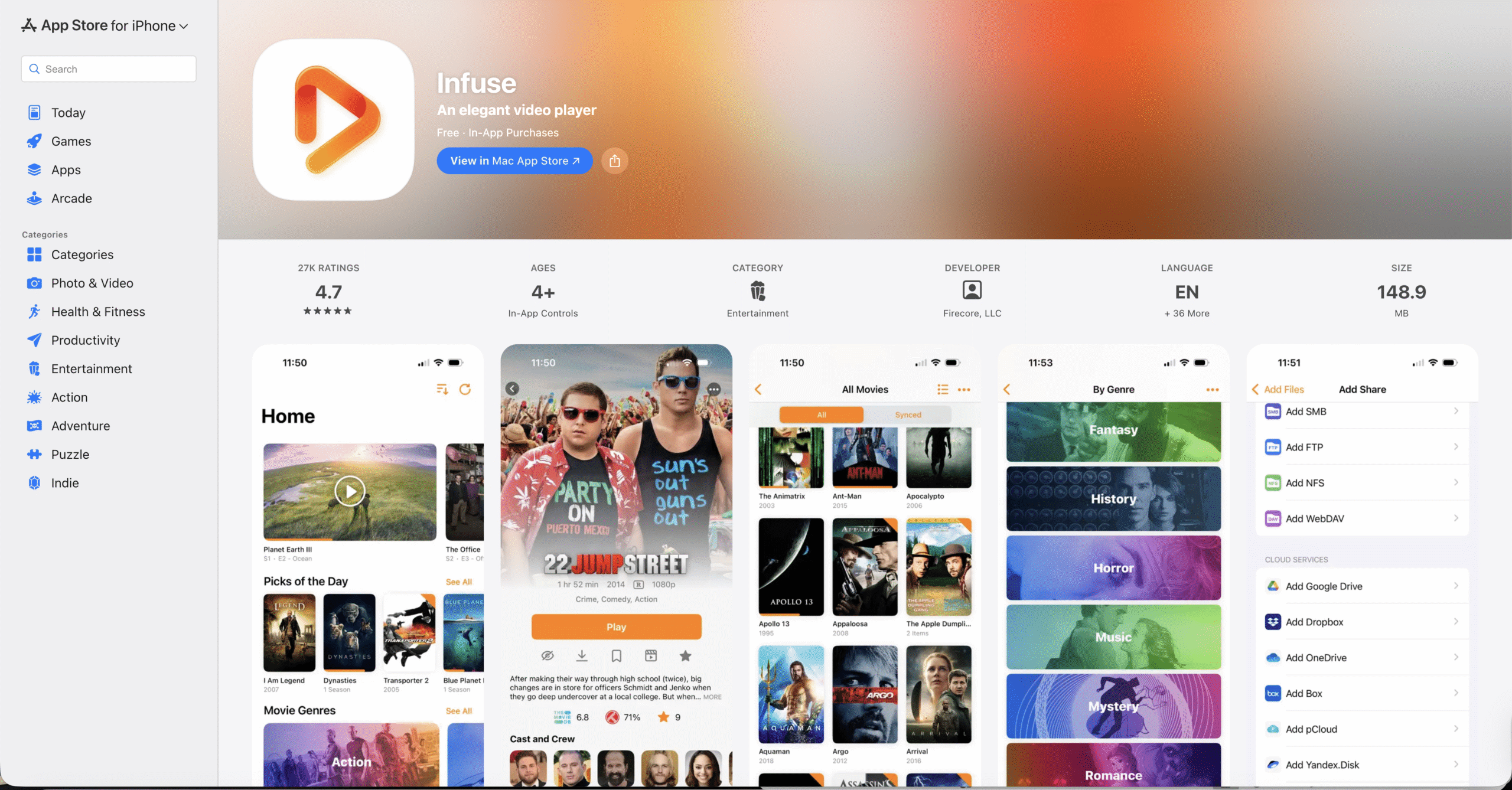
Infuse focuses on premium playback quality and deep Apple ecosystem integration. It handles high-resolution formats smoothly and organizes video libraries automatically.
This player works well for users with large local or network-based libraries who want polished visuals and consistent playback across Apple devices.
nPlayer

nPlayer targets advanced users who need extensive format and network protocol support. It handles local files, cloud storage, and remote servers without requiring conversion.
Customization options for subtitles, audio tracks, and playback behavior make it ideal for technical users.
KMPlayer
KMPlayer offers flexible playback controls and broad format compatibility on iOS. It supports cloud streaming, local files, and subtitle customization.
The interface emphasizes control over visuals and playback behavior rather than media library organization.
MX Player
MX Player combines media playback with built-in streaming content. It works well for casual viewing and offline downloads.
While ads appear in the free version, it remains popular for users who want both a video player and entertainment platform in one app.
Why iOS Video Playback Quality Matters
Modern iPhones support high-resolution displays and advanced video technologies. A capable video player ensures smooth decoding, accurate colors, and stable audio sync.
Using a well-optimized player reduces dropped frames, subtitle issues, and playback interruptions.
Troubleshooting Common Problems
If videos fail to play, confirm the file format is supported and that the app has access to local storage or cloud accounts.
Playback stuttering often improves after disabling background apps or switching to hardware-accelerated decoding when available.
Tips
- Use offline playback when traveling.
- Adjust subtitle size for smaller screens.
- Enable Picture-in-Picture for multitasking.
- Check audio track selection on multi-language files.
- Use AirPlay for larger displays.
FAQ
What is the best free video player for iPhone?
VLC offers the most features without ads or subscriptions.
Can iOS video players play MKV files?
Yes. Players like VLC, Infuse, and nPlayer handle MKV files reliably.
Do video players support cloud storage?
Many support services like Google Drive, Dropbox, and network servers.
Summary
- Third-party players improve iOS video playback.
- Format support varies by app.
- Offline viewing adds flexibility.
- Apple feature integration enhances usability.
Conclusion
The best video player for iOS depends on how you watch videos. Whether you prioritize free playback, premium quality, or advanced controls, the right app can significantly improve your iPhone viewing experience.


Discussion (0)
Be the first to comment.