



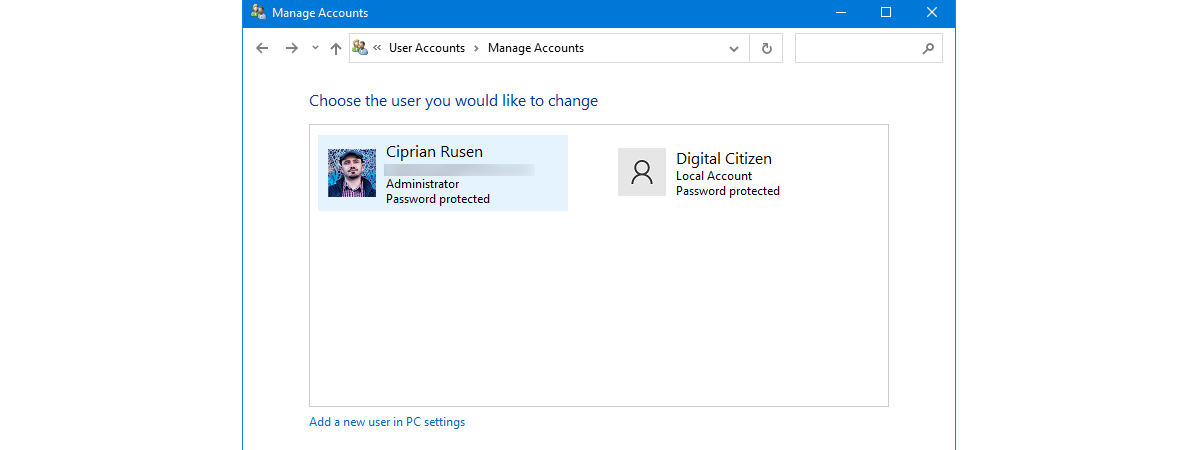
Both Windows 10 and Windows 11 heavily promote the use of a Microsoft account that has an associated email address and password. If you want to take advantage of what these new operating systems offer, Microsoft accounts make your life easier. However, many people are concerned with sharing their personal information with Microsoft and want to use offline local accounts. Let’s explain the differences between these two accounts to help you choose the one that works best for you:
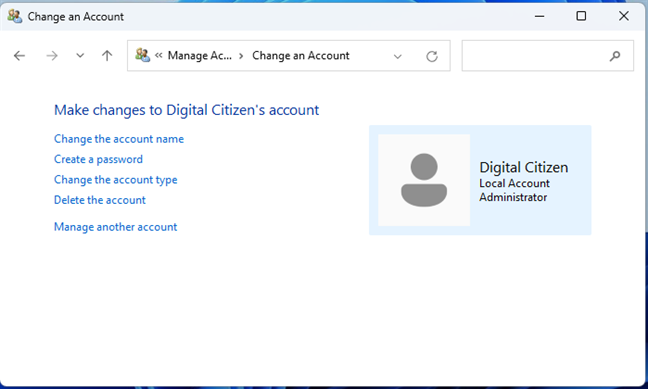
 A local account exists only on your PC
Local accounts are offline accounts because you don’t need an internet connection to configure or use them. They can be created for a single Windows PC or device, so if you have multiple devices, you need to create a local account for each of them. A local account can be an Administrator with permissions to change all settings on Windows or a Standard user with limited permissions. For more on this topic, read:
A local account exists only on your PC
Local accounts are offline accounts because you don’t need an internet connection to configure or use them. They can be created for a single Windows PC or device, so if you have multiple devices, you need to create a local account for each of them. A local account can be an Administrator with permissions to change all settings on Windows or a Standard user with limited permissions. For more on this topic, read:
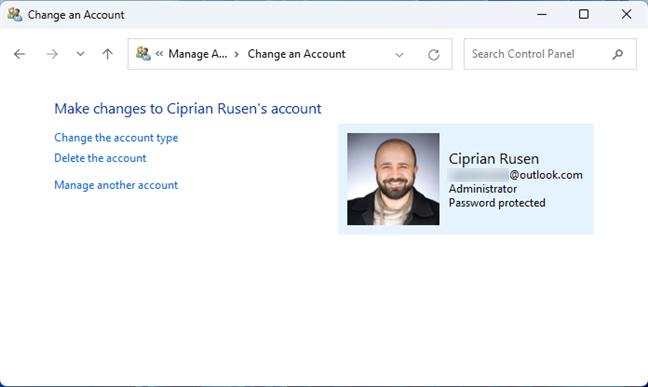
 A Microsoft account can be used for all Microsoft services
A Microsoft account is free, and you can create it from just about anywhere: Windows 10 or Windows 11, an Xbox console, Skype, a web browser, the Microsoft Store, etc. To help you with this process, here are several ways to create a Microsoft account from your browser.
Microsoft accounts are free for personal use and can also be used to purchase Microsoft products and services.
TIP: If you don’t know which type of account you’re using on your Windows computer or device, here’s how to tell if your Windows account is a Microsoft or a local account.
A Microsoft account can be used for all Microsoft services
A Microsoft account is free, and you can create it from just about anywhere: Windows 10 or Windows 11, an Xbox console, Skype, a web browser, the Microsoft Store, etc. To help you with this process, here are several ways to create a Microsoft account from your browser.
Microsoft accounts are free for personal use and can also be used to purchase Microsoft products and services.
TIP: If you don’t know which type of account you’re using on your Windows computer or device, here’s how to tell if your Windows account is a Microsoft or a local account.
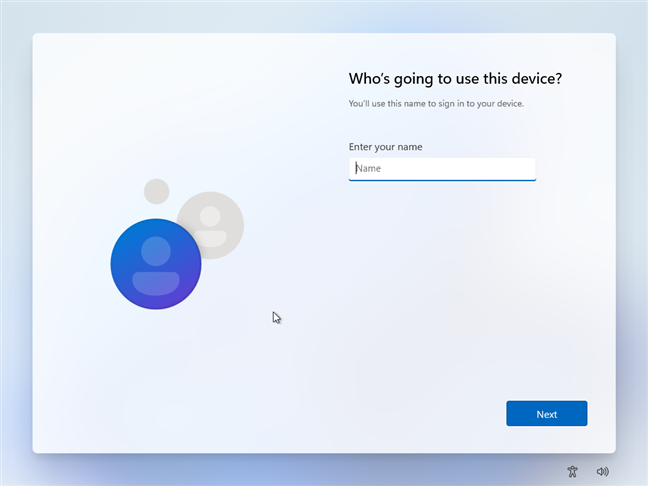
 Installing Windows 11 with a local account is difficult
TIP: If you want to install Windows 11 without a Microsoft account, here’s how: How to install and use Windows 11 with a local account.
Installing Windows 11 with a local account is difficult
TIP: If you want to install Windows 11 without a Microsoft account, here’s how: How to install and use Windows 11 with a local account.
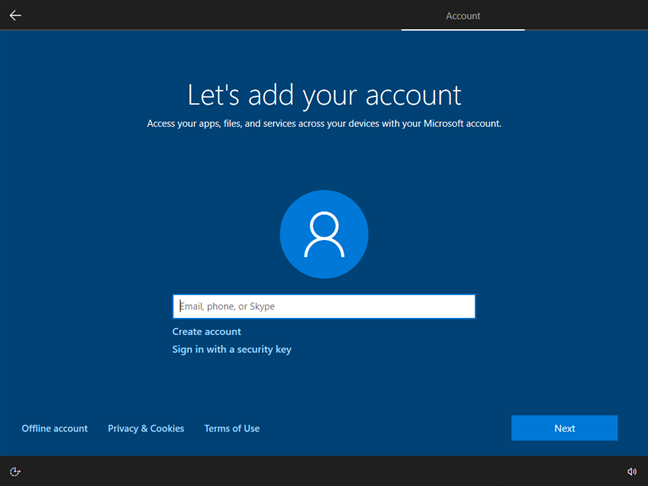 When installing Windows 10, you're asked for a Microsoft account
There aren’t many drawbacks to using a Microsoft account. However, a part of them are important to some users:
When installing Windows 10, you're asked for a Microsoft account
There aren’t many drawbacks to using a Microsoft account. However, a part of them are important to some users:
What is a local account?
A local account is the username and password combination you have used to log into Windows since its early-days versions many decades ago. You don’t need an email address, only an account name up to twenty characters long. You can use anything: lowercase letters, uppercase letters, numbers, or special characters (!, $, #, etc.). However, you can’t use the @ symbol for a local account because that’s associated with email addresses, which are mandatory for Microsoft accounts. A local account can have a password, which is stored alongside the username only on the PC where you create them. However, local accounts can also be passwordless if you want to sign in as fast as possible and you’re not worried about someone else accessing your computer and the data stored on it.- How to change the Administrator account on Windows 11 (6 ways)
- 6 ways to change an account to Administrator and back in Windows 10
What is a Microsoft account?
A Microsoft account is what you use to access Microsoft’s devices, websites, and services. It is an ID composed of an email address and password that you use to log in to your Windows 10 or Windows 11 computer, Xbox console, Microsoft 365 (formerly Office 365) subscription, OneDrive, Microsoft Edge, Bing, and so on.The benefits and drawbacks of a local account
The main advantage of using a local account is that you don’t send personal data to Microsoft when creating one. The account exists only on your Windows 10 or Windows 11 computer, and its password is stored locally. A secondary benefit is that local accounts can be passwordless, while Microsoft accounts cannot, for obvious security reasons. However, there are many drawbacks to using a local account:- First, Microsoft will frequently nag you about switching to a Microsoft account, starting with the Windows installation process.
- You won’t be able to use Microsoft services like OneDrive or Microsoft 365 subscriptions.
- You don’t get Bitlocker device encryption when using a local account.
- You won’t be able to fully utilize the Microsoft Store to purchase apps and install them.
- If you lose your Windows 10 or Windows 11 product key, you can’t easily recover it because it’s not associated with your local account, as is the case with Microsoft accounts.
The benefits and drawbacks of a Microsoft account
There are many benefits to using a Microsoft account, and their number grows proportionally to how many of Microsoft’s products and services you’re using:- You can sign in to multiple Windows 10 and Windows 11 laptops, tablets, and computers using the same Microsoft account. Then, your settings and files (if you’re using OneDrive) automatically get synchronized across all your devices through your account.
- If you’re using Windows 10 and Windows 11 with a Microsoft account, the operating system automatically signs you in when accessing other Microsoft products and services like Microsoft Edge, Mail and Calendar, Office, Microsoft Store, or Skype. Your data from those services is then automatically synchronized across computers and devices.
- You get Bitlocker device encryption for the system drive, even on Home editions of Windows 10 and Windows 11.
- You can sign in with a Microsoft account on your Xbox console, purchase games and other digital content, an Xbox Live Gold subscription, or an Xbox Game Pass. You can also sync your Xbox with your Windows PC.
- You can purchase and use a Microsoft 365 subscription (formerly known as Office 365).
- You can purchase, download, and install any apps, games, and other content from the Microsoft Store.
- You can sign in and use Skype for free.
- You get free online storage with OneDrive. You can also buy a OneDrive storage plan (if you want) and synchronize your files across all your devices, including Android smartphones and tablets or iPhones and iPads.
- You can sign into Bing, Bing Maps, and other web services and get access to personalized data.
- You can use Cortana on Windows 10 and Windows 11.
- You get an easy-to-use dashboard from which you can manage all your Microsoft devices, services, subscriptions, etc.
- You give personal information to Microsoft. The company knows your email address (and may have access to your inbox if you’re using a Microsoft email address), your purchase history of Microsoft services, your account settings, and so on. If you’re using Bing or Cortana, Microsoft will also know quite a lot about your browsing history and speech/search activity. If you’re using OneDrive, your files are stored on Microsoft’s servers.
- Your Microsoft account is hackable, especially if you don’t set a strong and unique password for it and don’t activate two-step authentication.
- If you forget your password or your account is hacked, you are locked out of all Microsoft devices, services, and websites.
- You need an internet connection to log in for the first time with a Microsoft account to Windows 10 or Windows 11. However, after the first login, you can use a Microsoft account even when offline.
- How to switch to a Windows 11 local account from a Microsoft one
- How to switch to a Windows 10 local account from a Microsoft one
Discussion (77)
You don’t need a Microsoft account for BitLocker. You can have BitLocker also with a local account.
Interesting article, however, in the cons side of A Local Account you don’t bring out the fact that there are many solutions to these cons that don’t require you to give your identity up to Microsoft. To me, my privacy is something I won’t compromise on. Right now, here today, Information is the single largest traded commodity in the world bar none!
That’s mine, yours and everyone else. I’m sure enough of my information is out there as it is, I’m not going to unbolt the door so Microsoft can have the rest to sell and trade…
Microsoft account verification code is very difficult for to access. it has made regretted for using creating Microsoft account
I’m in an ugly situation… and I had deleted, accidentally, but still deleted, my MS Win account Linked to the activated Digital Lic, Product Key. And also, made a worst mess, by creating extra Win accounts that got all intermixed up with each other not knowing how they worked. (Don’t ask how except being frustrated).
So would it make sense in my position, to do a total clean wiping, Factory Reset? And starting over with new MS Account or 2 only. (The other accounts were just created, so no loss). Plus having a new understanding hot use primary and aliases accounts. Laptop only few months old.
With it this messy, not being able to delete and reshuffle like non MS email accounts can. It really is that bad. But I’m very curious to hear anybody’s opinion with something like this. And just fed up with this situation I’ve left it in.
Did you delete the Microsoft account used to store the product key from Microsoft.com and your PC, or just from your Windows PC?
“When you use a Microsoft account in Windows 10, you can synchronize your settings between your various computers and devices. The idea is that when you first set up a computer, you tweak system settings so that it’s customized exactly how you like it. It means choosing a background, setting the Homegroup and networking options, configuring devices and even selecting your time and language settings. Getting everything set up the way you want it takes a lot of time and cannot be bypassed.”
No Homegroup in Windows 10. What time and language settings should I sync? I don’t remember setting anything besides the locale, I done it in about 20 secs. Oh, syncing background, very useful. Configuring devices? What devices? So I don’t see anything I should sync…
“You can even synchronize passwords for websites, apps, and networks between devices, as long as they are on your trusted list.”
Synchronize passwords via MS? I guess that part of the code is the most secure in the world, no backdoor, no exploit, no NSA/whatever injected/weakened code there. Sounds great, where should I sign in? 🙂
“A Microsoft account would help you with using, for example, OneDrive because you can access, save, share and synchronize”
OneDrive works with a local account as well (yet?).
“Another feature of Windows 10 that you can only use to its fullest if you access it with a Microsoft account is Cortana.”
Ok, Cortana works in English, Spanish, French and some other countries, but not much elsewhere. Not even in my country and I guess it will stay like that.
“This is a part of your Microsoft account’s perks, and it’s a service that contains options for managing the online life of your family and kids”
Unfortunately many parental controls (the most important web-related ones) works only with Edge (and you can disable all other browsers…). My kids live relatively close to me so I have no problem checking personally whether they are sleeping or gaming at night.
I just would like to say thank you so much, for such valuable helps
I’m sure that starting to use this new computer has really tested my sense of what I can deal with in the internet and computer use arena these days. I’m no engineer of software and I haven’t even been able to figure out how to arrange my router they suggest through the FTC website. Since I have brain damage, it’s extremely difficult to focus and say what I mean sometimes so I feel the person listening has understood me. I know it’s probably impossible for anyone to relate to my condition. I’ve been trying to set up my computer and so much explanation needed is not good since I have hardly any short-term memory – I mean in my human brain. So please don’t imagine that I don’t want to participate more. It’s that when I attempt to, my life becomes seriously unmanageable and I get very flustered. Thanks at least for attempting to do the job the way it ought to be done even though we can’t all be computer wizzes.
I am running Windows 10 on my desktop and my Surface Pro 3. Several days ago Outlook would not open on my desktop computer. I use it for business so I was “out of business”. The problem was a bad update Microsoft had pushed. My desktop was left on over night so it got the update. My Surface was turned off so it was not updated and Outlook still worked. I could only get business emails on the Surface. It took several days for Microsoft to fix the problem. I will never synchronize these computers for this reason.
Bought a new laptop,do not want an annoying Microsoft account. I can change to a local account at the end of setup but first have to set up a Microsoft account. Then change. Does this completely delete the Microsoft account.
The Microsoft account is not deleted unless you make a request online to delete it.
why should I create an account when I don’t trust Microsoft
Then don’t. 🙂
Forcing us to use Microsoft email accounts is just another way for Microsoft to have total control over our computing usage.
Every Company is trying to track us and control what we have or see.
There should be no need to use an e-mail account. The legacy system worked fine
I would like to sync nine desktop computers for my small business that I just purchased. All have MS H&B and all need to be activated and set up. I do not want my employees to have access to my microsoft account. How should I go about setting up ethese computers in the best possible way without jeopardizing my personal Office 365 information.
I’ll pass. If I wanted a cloud OS I wouldn’t be using MS, that’s for sure. Been using local accounts since, what, W95? Works for me. Soon as they start requiring otherwise though, which will happen, it’s outta here. Only use it for games at this point anyway that won’t run worth a damn on my Linux box.
Some features of Windows do not work with a Microsoft account, especially anything requiring a local login. For example, you can create events in Task Scheduler to run without logging in. Task Scheduler doesn’t know how to use the Microsoft credentials to run the scheduled event under the Microsoft account. You need a local account with local login credentials to run a scheduled event when not logged in. With a Microsoft account, all events you create in Task Scheduler must run when you are logged in.
In addition to problems creating events in Task Scheduler, you cannot disable some events that Microsoft defined when you are using a Microsoft account. For example, it used to be that you could disable the WU service to prevent Windows from updating until *you* were ready, like after saving an image backup and preparing for when YOU want to update. No longer. Microsoft added scheduled events for WU. One specifically reenables the WU service hence undoing you disabling it. Another (OrchestratedUpdate) runs the WU client and a series of WU checks that result in reenabling the WU service. You cannot delete or disable those scheduled events when logged in under a Microsoft, but you can if logged in under a local account (with admin privileges).
Another reason not to tie your Windows computer to a Microsoft account is that users have been locked out of their Microsoft accounts. Regardless of the reason, real or fabricated or how you might disagree, Microsoft controls access to your Microsoft account, not you. However, with a local account, YOU are the one that manages your local account, not Microsoft.
In the past, you could create another Windows account to use as a backup to your regular account. If your account got corrupted, you could switch to the other account that was defined the same. You went into user profiles and could copy one account’s profile atop of another account’s profile. You cannot copy Microsoft account profiles atop a local account’s profile or visa versa to get them quickly configured identical.
Using a Microsoft account on your computer results in some of Windows own programs to malfunction. For example, you cannot create scheduled events in Task Scheduler that need to run when you are NOT logged in. That is, the event needs to run whether you are logged in or not. Task Scheduler cannot use the login credentials (e-mail and PIN) for a Microsoft account when configuring an event to run even when that account is not active. You must use a local (aka offline) account to add events to Task Scheduler that can run under your account WITHOUT it being currently logged in.
The Task Scheduler option (in the General tab for an event) “Run whether user is logged on or not” will prompt for login credentials. It cannot use those for your Microsoft account. To run a scheduled event under your account, you are forced to select the “Run only when user is logged in”.
I don’t have or want a Microsoft Account, yet I regularly get a pop up to update my Account. Normally I just get rid of it, but today I looked into it and discovered that it was not my email address, it was an Outlook address and I have never used Outlook. How do I stop this Pop up?
I don’t have or want a Microsoft Account, yet I regularly get a pop up to update my Account. Normally I just get rid of it, but today I looked into it and discovered that it was not my email address, it was an Outlook address and I have never used Outlook. How do I stop this Pop up?
The Most Important Reason for using a Microsoft Account.
If you have taken advantage of the free upgrade offer of Windows 10, and then you made some significant hardware changes, such as replacing the motherboard, Windows 10 won’t re-activate.
However, starting with the Windows 10 Anniversary Update, you can link your Microsoft Account with your Windows 10 digital licence, and use the new Activation Troubleshooter tool to re-activate the operating system.
Thanks for sharing this information. Very useful. 😉
+1, Bill, … and this should probably be quoted right at the top of the list of reasons to use an MS account.
I’ve delved through a zillion posts and pages on reactivation, and there is just no clarity. I need to reinstall W10, and it seems that the safest way is to change my local account (which I prefer) back to an MS account before I reinstall, to take advantage of the digital license.
I prefer a local account myself, mostly because I only have one PC and don’t need the syncing or advantage of a MS account signing me into every Microsoft service like One Drive, Skype, Mail App, etc. I prefer to sign in to each service and app as I use or need them. On a privacy note, your also communicating a lot more to Microsoft with a MS account sign in then a local account. While I myself do not distrust Microsoft on a privacy level. Why send any company more information then is needed? If you have multiple devices I certainly can see a advantage to signing in with a MS account but beyond that it gets less useful.
Most operating systems are pushing a cloud sign in such as a Apple ID, Google, or Microsoft account for a given OS. Since so much is tied to a web and cloud connection. This makes sense for many with multiple devices that you want to sync together. However if that’s not important and you don’t care much about the Microsoft ecosystem. A local account works just fine and probably is a bit more private if that’s important to you.
Thank you – very informative!
Glad to help. 😉 Do not hesitate to subscribe to our newsletter, for more useful content. 😀
Here is the best reason to avoid a Microsoft account at all costs…they can, and often WILL suspend, or even ban, your account for no reason. In my case, it was becuase I RECEIVED too many suspicious e-mails because I used it as an account to catch a bunch of contest entries. So I got several e-mails with the same spammy sounding subject. I never once SENT anything from the account, but I was temporarily suspended anyway. And then when they wouldn’t accept my phone number to verify, and I asked if it was because it was a Google account and they were upset that Google is destroying them in the modern markets that matter, they got butt hurt and banned my account entirely claiming there were MORE suspicious activity, even though no one could log in. I lost $110 from contest wins that were sent to that account because I could no longer get the e-mails. So, if you had that as your Windows login, you would be locked out of your computer.
How can I change back to Windows login from Microsoft!!
It has down loaded details from another computer and taken over login details.
I’m sorry but I don’t understand what you are saying. Do you want to use a local account to login to your PC, instead of a Microsoft account?
A well-written, balanced explanation of local vs Microsoft account for Windows 10. Thank you.
Thank you very much for your appreciation. 🙂
I have purchased Microsoft Home & Business 2016. I have installed it on one Microsoft device. Am I able to access it from another Microsoft device if I am logged in using a Microsoft Account?
Yes. But you must install it there too, using the same Microsoft Account.
“You always have the option of the middle ground, which is to use a local offline account on your Windows 10 PC, but use a Microsoft account to sign into Windows Store to download and install the apps you want.”
Can anybody please tell me how to do this? I have certainly never been given that option. Currently I am locked out of my new laptop because the password I used for the first two weeks is now apparently “incorrect”. I’m guessing it wants a password from a Microsoft account, but I haven’t a clue what that might be, and I’m worried that if I manage to find and change that password the laptop won’t know about it. Fortunately the retailer who sold me the laptop seems to be wanting to help me…
A very helpful article, by the way, but such long-winded explanations should never be needed! Until yesterday I had never even heard of a “Microsoft account”, let alone what it actually is. To me a computer has always been something you logged into (if it was locked), then just used…
If one computer gets hacked, then will they all get the viruses if they’re all on the account? Seems better to keep them separate and decide what to share. Can always use Dropbox or email to share.
No, they won’t get the same viruses.
I did a clean install of Windows 10 on my wife’s Toshiba/AMD laptop after Microsoft attempted a Win10 update that broke thousands of computers.
https://www.theregister.co.uk/2018/01/08/microsofts_spectre_fixer_bricks_some_amd_powered_pcs/
I initially must have logged onto teh new install using her MS account. This copied all her documents, photos, desktop to Onedrive. We already had it all on Dropbox. Then, i switched to a local account. That switched off the Onedrive sync and where files are saved. Instead of in Onedrive, her files were now in Documents under This PC. Under Users-mywife, there is no documents account, but Onedrive and Dropbox are there (but contents are not exactly the same.
I have not checked it yet, but would ThisPC-Documents be accessible by any other user that may log in?
I want to empty Onedrive and keep all cloud backup in Dropbox. Not that I like DRopbox much, but MS have been making so many changes, screwe d up her PC with a bad update, screwed up Skype several times. They cannot be relied upon, so no Onedrive of MS account use for us.
One thing that bothers me in Windows 10 is that it gives you the user name in Cusersname…
You can’t choose it!
With the local account, you can choose and even change it as you wish.
In my case, instead of having my first name (as I have in other computers) in the c:users….. it has a bunch of letters from it ?!!
If anyone does of any way to change it, please help.
Does it take longer to log in with a Microsoft account vs an offline account. I’ve only used a Microsoft account and when I boot up it takes 2 minutes before I can enter my email address and password. Is there some way to make the bootup faster and still use a Microsoft account?
Create a PIN or a picture password for your Microsoft account. Then you will login as fast as possible for your computer.
It depends how much you use Microsoft products and how many devices use Windows 10 that you would like to sync. I prefer local account because you can pick and choose what services you sign into with your Microsoft account. Its not a all in kind of option as with Microsoft account. Also I might add Windows 10 is not the most used OS in the world. That still goes to Windows 7.
It turns out that if you want to use the “Find My Machine” security function, you have to sign in to the computer using the Microsoft Account, so that Msoft keeps track of the location of the machine all the time. Sigh.
Sync of these two computers messed up settings on both. How do I fix them.
One aspect of having these account that hasn’t been touched on is how it affects the security aspect of having one shared password for everything versus one local account per service. For example, one account login/password combination for my home desktop (personal info) and another (completely different and much stronger) login/password combination for my business laptop (professional info). Is one login/password combination stronger than having two separate ones? Wouldn’t having two sets, perhaps (?), limit the damage when one set gets broken into? Aren’t we trading convenience (or cost?) for safety?
Security is IMO an important topic of which there isn’t a single mention in this article. I guess that aspect is no longer important then… let’s put all our eggs in one single basket and they become much easier to access… er… for everybody of course. Aluha akbar.
I chose the local due to the fact that I have no phones, Xbox or use Cortana to be synced. When I need an app I just get it through surfing. Plus my MS account is tied in to my gmail account which I use sparingly, so in conclusion the local account settings seem to work best and it allows me to toggle off a lot of ‘bloatware’ that is inherent with W10.
Got a new computer with the latest Windows 10 within the last month (Dec 2017) and have not opted for a Microsoft account.
Moreover, I have no problem downloading apps from the app store (e.g. Xodo). However, I was prevented from giving feedback on the Microsoft Photos app when I was prompted to sign up for the Microsoft Account which I declined.
On Windows 10, Microsoft will still take over local accounts, converting them into cloud accounts against the wishes of computer owners if they make the mistake of logging into the Microsoft Cloud to install Microsoft app store software.
If users don’t happen to remember their cloud password, they are stuck because Microsoft provides no way to access their own machine to reset the password, and logging into a local administrator account won’t help because the ability to reset the password of the captured local account is removed by Microsoft during their takeover process.
Microsoft’s handling of cloud identities is still brain-dead compared to Google, as is Microsoft’s cloud sync capabilities compared to Google. So all they are doing is infuriating their customers again, and further damaging the reputation of the Windows brand.
What if one DOESN’T WANT AN ‘ACCOUNT’???
After I BUY a lawnmower I’m free to use it as and when I want to ~ or even turn it into a go-kart with permission ~ or even reference ~ to the manufacturer!
Neither do I have to ‘sign-in’, ‘log-on’, ‘update’ etc. with the Ford Motor Company every time I want to drive my car!
We’re talking about a piece of bloody electronic machinery, after all.
… except you don’t own your copy of the Window OS. You only license it.
having an MS login plus a local log-in makes no sense to a single platform user. & wish I could ignore one.
having an MS login plus a local log-in makes no sense to a single platform user. & wish I could ignore one.
If you sync your Microsoft account to the local, can you still use the local account password to access the computer or must you use the Microsoft account password.
But can you make it so that you can ONLY log onto the computer using a specific online account?
Read this guide: https://www.digitalcitizen.life/log-automatically-windows-7-without-typing-your-password
Like when we had XP, d’you mean? One simple logon (to the computer) when you sit down (and even THAT was “required”) and you could go anywhere you wanted.
Ten minutes after I started my first computer (Millenium Edition!) I was exploring the Smithsonian Institution (a lifelong ambition!) without any further ado.
Though ME was also called the ‘Mongrel Edition’ it put Windows 10 in the shade for user-friendliness! (AND gave the world Outlook Express! ~ YAY!!)
oops!! should read ‘and even THAT was (NOT) “required”. ‘
??? Must i be online to use my computer.
No. Only the first time you log in so that Windows 10 caches your user data. Then you can be offline.
You talk about a middle ground where you use the microsoft account only for the store. However, when I do that, afterwards my local account has disappeared and been replaced by the microsoft account to log into the computer… how does the middle ground word then?
I don’t like the fact that Microsoft Windows 10 made the password choice for me. I’ve been working with my local password for a few weeks then today I’m forced to sign in with my Microsoft account without any warning this change would happen. Not cool.
I want to disable local account because as a parent, I cannot track my kids if they login local account
I dislike windows 10 so much i’ll go to apple for my next laptop or desktop. I’ll never use a windows phone. I’ve never liked ie or bing and I don’t need cortana. window 7 was great–too bad microsoft changed things up.
I am an administrator that is setting up a new system for a public library. Currently we use Windows 7 with a standard Patron account with various restrictions imposed by group policy. It works well and requires very little maintenance.
I would like to setup the new system as a tripple boot computer with Windows 7, Windows 10 and Linux Mint. I have all 3 operating systems installed and working, with Windows 7 configured just like all of the other systems and Linux Mint similar to Windows 7.
For Windows 10 I wanted to provide an additional option besides the restricted local Patron account, to allow users to login with their Microsoft account. If I do that will I be able to restrict access, force logoff after idle for a period etc when users login with their Microsoft account?
The “limitations” that Microsoft claims from the use of local accounts are by design. They could easily have incorporated the cloud account login into the local user profile (LINUX has been doing it this way for quite some time, but Microsoft hates admitting that anyone else has a great idea because they can’t charge for it). The goal here is to push you into the cloud so they can manage/control you in bulk.
My impression from 8, 8.1, and 10 is if I want to have multiple users on the same device to segregate my work and play or have wife and kids with their own accounts, then I have to pay separately for each user for apps purchased from the Store. In that case, it becomes more expensive in this new apps model, not cheaper.
There is a lot of misinformation going around about windows 10 (among other things). You can have BOTH local and ms account. Log in as local account and use ms account to sign in ONLY to say, store. It allows you to sign in only to that app with ms account.
All apps may not work that way but some do allow you to keep you local account local.
Except that’s not how it works. I do a local account as I am tired of having to tell it that I don’t want to sync everything between my systems. But while on my local, Microsoft will not let me sign in with my Microsoft account for say, the Store as it’ll throw up a “We’re having problems signing in. Try Later.” EACH AND EVERY TIME. So, what’s the point? It’s only going to allow me to sign in to Store (or anything else they have their fat little fists around) if I use my Microsoft Account not a local account to sign into my devices. And to that I say BULLSHIT!
I think they should make it simple. Let me have a local password to get into my computer. The security level here is quite low. And let me have a strong password that allows me into my Microsoft Account when I need to be there. Or even let my computer log into the account from saved information after I have started my computer.
I hate it when Microsoft pushed stuff down our throats
And they will keep pushing crap down our throats until law is past prohibiting their audacity 🙁
If they haven’t passed a law banning Apple and Google from doing it for the last 10+ years, why would they pass one against Microsoft now? It isn’t as if you can have an Android phone or iPhone without logging into a Google or Apple account. And hell..Google was additionally forcing you to sign up to their failure of a social media site Google+ if you wanted to use an Android phone too. If they didn’t get stopped by the law, then this sure as hell wouldn’t qualify. Of course, they SHOULD have been stopped one that one. Using their dominance in mobile phones to try to push their product over competitors (like Facebook) is pretty much exactly what Microsoft got fined for in the 90s/early 00s when they used Windows dominance to push Internet Explorer
I share the comments of Gary Hull. I have experienced many frustrating interchanges with both Google & Microsoft with my email address/ username which I do not want to loose.It works for me everywhere on line except when I try to sign in to either of these accounts. Therefore I want to retain my email address of over 20 yrs and if I must, use another address just as a sign-in for Microsoft?
Once I added a log in via a Microsoft account on my laptop with a new install of Windows 10, iCloud for Windows screwed everything up, and I saw the desktop and system tray refresh every few seconds, plus the inability to use the Start Menu button at all (no response), and the Edge application threw an “unable to register” error. When I booted with WI-FI off the system came up OK, but as soon as WI-FI was turned on the problem returned. Even reverting to a local account again made no difference. I ended up removing iCloud, and everything on the laptop is working again. I don’t have a real need to sign on with a Microsoft account, and proved over a number of hours what a headache it can be when products are not compatible with each other. BTW…on the Apple support boards, others have seen the same problem as well.
How about Windows Phone 10? Will it be possible to create local account and store contacts only locally?
No. On Windows 10 Mobile you will have to use a Microsoft account.
Incorrigible. Gonna stay with Android then…
Nice post!your settings and data will be synced across devices.