




Spectrum TV does not appear in the Amazon Appstore for most Firestick users. You can still watch it by sideloading the app or using alternative streaming methods. This guide shows every safe option and includes fixes for common problems.
Table of contents
What you need before watching Spectrum TV on Firestick
You need a Spectrum TV subscription, stable Wi-Fi, and a compatible Firestick model. You avoid installation errors when you confirm these basics first.
Supported Firestick models
Most modern Firestick devices work well with Spectrum TV. Fire TV Stick, Fire TV Stick 4K, Fire TV Stick 4K Max, and Fire TV Cube deliver the best performance. Older sticks may load the app slowly.
Check your Fire OS version
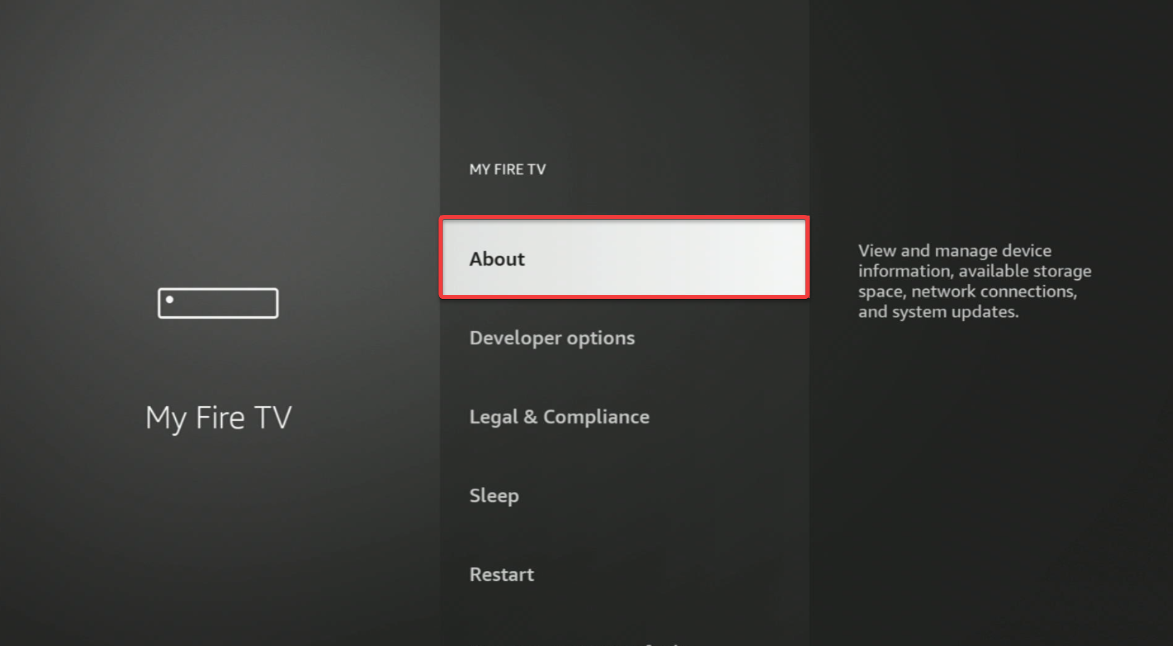
Spectrum TV works better on Fire OS 7 and Fire OS 8. You check this under Settings > My Fire TV > About. Updating your device fixes menu differences and improves reliability.
How to install Spectrum TV on Firestick by sideloading
Sideloading gives you the most consistent way to watch Spectrum TV on a Firestick. The process installs the app even though it does not appear in the Amazon Appstore.
Enable installation from unknown sources
- Open Settings on your Firestick.
- Select My Fire TV.
- Choose Developer options.
- Turn on Apps from unknown sources for the Downloader app.


This unlocks permission to install apps outside the Appstore.
Install the Downloader app
- Go to the Firestick home screen.
- Open the Find tab.
- Search for Downloader.
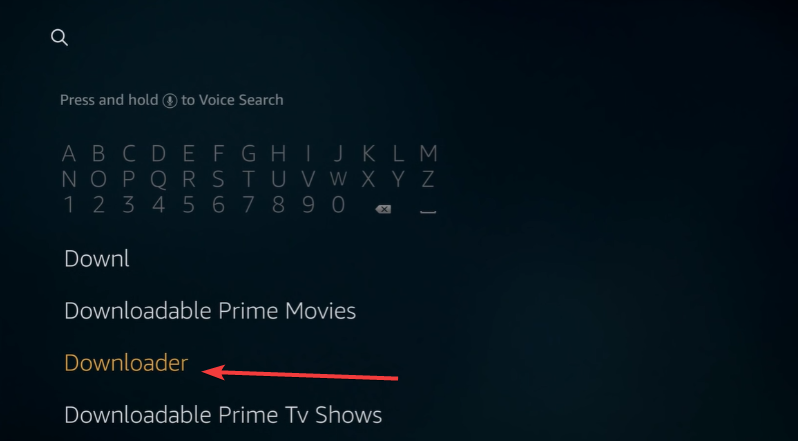

- Install it from the Amazon Appstore.
Downloader lets you download the Spectrum TV APK file.
Download and install the Spectrum TV APK
- Launch Downloader.
- Enter the URL of a verified Spectrum APK source.
- Select Go to download the app.
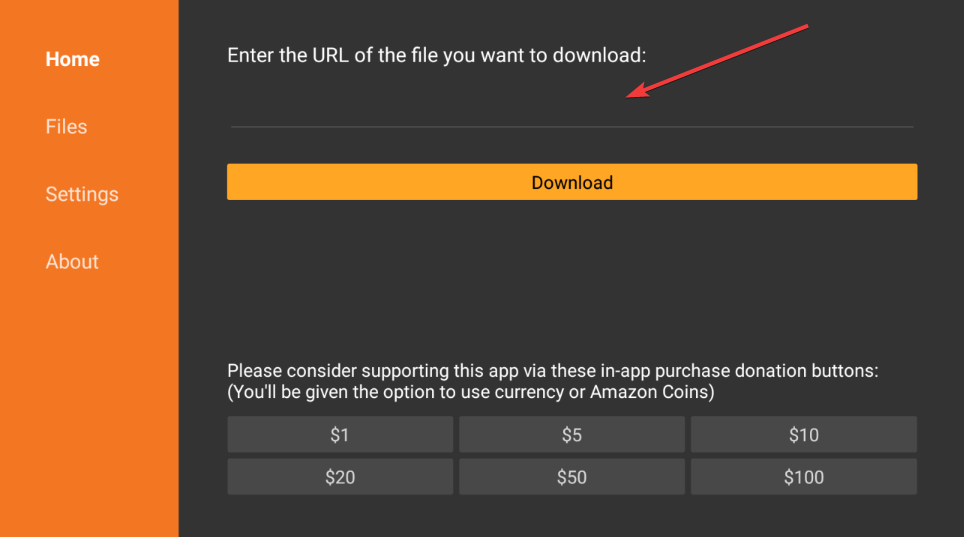

- Choose Install when the prompt appears.
- Open Spectrum TV and sign in.
Tip: Sideloaded apps do not update automatically. You repeat the installation process with a newer APK when Spectrum releases a new version. This prevents login issues and missing channels.
How to watch Spectrum TV without sideloading
You can stream Spectrum TV without installing anything. These methods work well when you want a quick setup.
Use screen mirroring from Android
- To watch Spectrum TV by mirroring your Android screen to the TV, you need to install the app on your phone.
- Open Settings on your phone and enable Cast or Smart View.
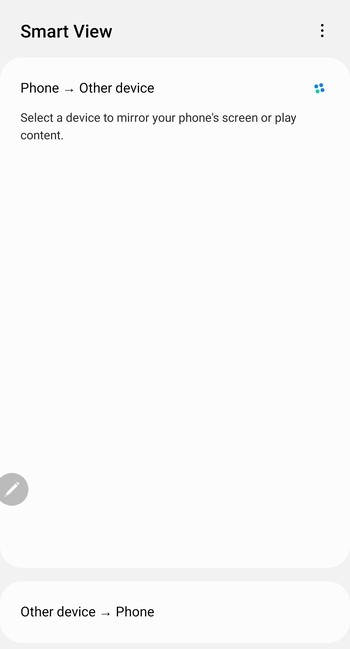

- Select your Firestick.
- Open Spectrum TV and start streaming.
This method mirrors your phone screen to the TV.
Use AirPlay or iPhone screen mirroring
- Swipe down to open Control Center on your iPhone.
- Tap Screen Mirroring.


- Select your Firestick.
- Open Spectrum TV on your phone.
This gives you a smooth option when the APK fails to run.
Use the Silk browser to stream Spectrum
- Install the Silk browser from the Amazon Appstore.
- Go to the Spectrum website.
- Sign in with your credentials.
Browser streaming avoids app issues and gives you fast access to live channels.
Best alternatives to Spectrum TV on Firestick
You can still watch Spectrum content even if the Firestick app fails.
Use Spectrum on supported devices
Devices like Roku, Apple TV, and Samsung smart TVs run the official Spectrum app. These platforms give you better stability than sideloading.
Use a streaming service that accepts Spectrum credentials
Certain channels unlock with Spectrum credentials inside their own apps. This lets you stream live content without loading the Spectrum app directly.
Troubleshooting Spectrum TV on Firestick
- Spectrum TV app not opening: Clear the app cache under Settings > Applications > Manage Installed Applications. Reinstall the APK if clearing the cache does not help.
- Login issues or account not recognized: Confirm that your subscription is active and verify your region. You can also restart your router or refresh your Firestick network settings.
- App freezes or buffers during streaming: Move closer to the router or switch your Firestick to a 5 GHz Wi-Fi band. Reducing video quality helps when your network slows down.
- Fire OS update breaks the Spectrum app: New Fire OS versions sometimes block older APK builds. Reinstall the latest APK or switch to screen mirroring if the app refuses to open.
Tips
- Keep your Firestick on a 5 GHz Wi-Fi band to reduce buffering during live channels.
- Restart the Firestick weekly to clear the temporary system cache and improve app stability.
- Use the newest Spectrum APK version to avoid login errors or missing channel listings.
- Disable VPN services while streaming, since Spectrum may block logins from certain regions.
FAQs
Why doesn’t Amazon allow Spectrum TV in the App Store? The two companies use different distribution agreements, so the app does not appear for Firestick owners.
Is sideloading Spectrum TV allowed? Yes. Fire OS allows sideloading when you enable the setting manually.
Can a VPN affect Spectrum TV? Yes. A VPN may trigger region errors or block login attempts.
How often should I update a sideloaded app? Update it whenever Spectrum releases a new version or when the app starts crashing after a Fire OS update.
Summary
- Spectrum TV does not appear in the Amazon Appstore, so most users sideload the app.
- You install Downloader, enable unknown sources, and load the Spectrum APK manually.
- You can also mirror Spectrum TV from Android or iPhone or use the Silk browser.
- Most crashes or login issues clear after reinstalling the APK or updating Fire OS.
- You can switch to another supported device if the Firestick app fails.
Spectrum TV works well on a Firestick when you sideload the latest APK or mirror the app from a mobile device. This guide gives you every method that works today and includes fixes for common streaming problems.


Discussion (0)
Be the first to comment.